

If you’ve ever tried adding tabbed content in Gutenberg, you know it’s not always straightforward. Some plugins are too bulky. Others feel like they were made for a different editor. We felt the same, and that’s why we created Easy Tabs Block.
It’s a lightweight WordPress plugin that helps you build clean, responsive tabs without any code or extra hassle. Everything happens right inside the block editor. No shortcodes, no confusing settings, just a simple block that works.
Easy Tabs Block is built for anyone who wants to organize content in a better way without slowing down their site or fighting with clunky tools.
Excited to explore the Easy Tabs Block plugin?
Awesome. Let’s dive into the deep!
Why We Built Easy Tabs Block – Gutenberg Tabs Plugin
Most tabs plugins for WordPress try to do too much. They come with complex interfaces, loads of settings, and features you don’t really need.
Some even take you out of the Gutenberg editor just to manage your tabs. That’s not a great experience, especially if all you want is a clean way to organize content.
We wanted something different.
Our goal was simple: build a tabs plugin that feels like it belongs inside Gutenberg. No extra steps. No clutter. Just a block that works like the others you already use.
Easy Tabs Block is designed to keep things fast, flexible, and easy to use, no matter if you’re a blogger, a small business owner, or a developer working on client sites.
What Makes Easy Tabs Block Different
Easy Tabs Block was built to feel like a natural part of the Gutenberg editor. You don’t need to learn anything new or dig through confusing menus. Just add the block, create your tabs, and start adding content.
Each tab is fully editable right inside the editor. You can drop in text, images, buttons, or any other block you like. Rearranging tabs? Just drag and drop them. It’s that simple.
The plugin is also lightweight, so it won’t slow down your site. Tabs are responsive by default and work well on all screen sizes. Plus, everything loads smoothly without extra scripts or bloated styling.
If you’re tired of overcomplicated solutions, this plugin gives you exactly what you need, without the extra fluff.
Who Should Use the Easy Tabs Block Plugin
Easy Tabs Block is for people who want to organize content in a cleaner and more user-friendly way. It helps you break down long pages, reduce clutter, and present information in a format that’s easy to scan.
- Bloggers: If you write long tutorials, comparison posts, guides, or list-based articles, tabs can make your content easier to navigate. Readers can move between sections without endless scrolling, and your posts look more organized.
- Business owners: Service pages, pricing details, feature breakdowns, and FAQs often hold a lot of information. Tabs help you show everything without overwhelming visitors. Each tab becomes a small, focused area that users can explore at their own pace.
- Agencies and web developers: When you’re building client sites, you want tools that are fast, lightweight, and easy for clients to manage later. Easy Tabs Block fits naturally into Gutenberg, so clients already know how to use it. No training, no custom code, no performance issues.
- Educators and course creators: Lessons, instructions, resources, and modules often need structure. Tabs help you group related items together so learners can follow along without getting lost in long pages.
- eCommerce store owners: Product pages usually contain specifications, size guides, reviews, shipping info, and more. Tabs let you organize these details cleanly, giving shoppers a smoother experience and reducing page clutter.
- Anyone who wants a simple Gutenberg tabs plugin: If you’re tired of bulky tab plugins, shortcodes, and complicated setups, Easy Tabs Block gives you a clean, native solution. It works like any other block, so you can add and edit tabs instantly.
Easy Tabs Block is built for creators who want clarity, simplicity, and a better way to present content, without slowing down their site or learning anything new.
Easy Tabs Block Plugin – Key Features
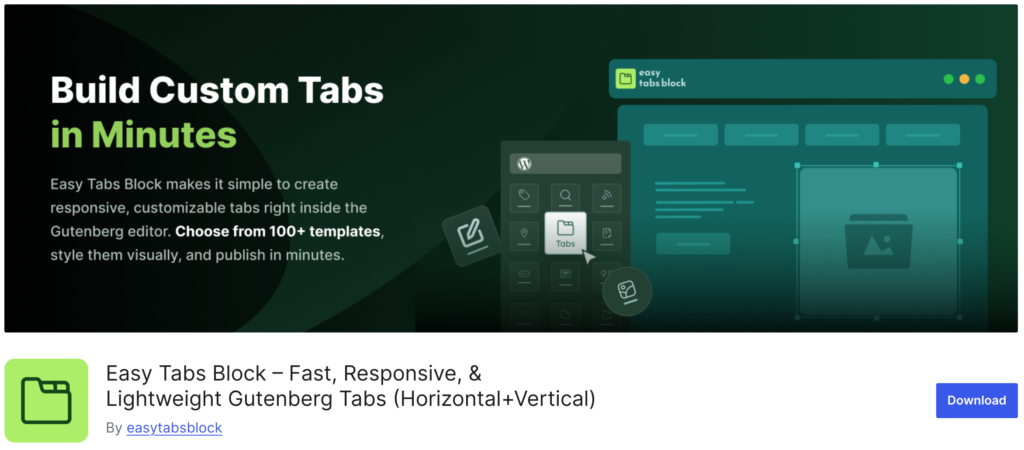
Easy Tabs Block includes a set of features that help you create clean and flexible tab layouts directly inside the Gutenberg editor. Here are the key features:
- Multiple Tab Layouts
- Pre-Designed Templates and Patterns
- Editable Content With Any Gutenberg Block
- Drag-and-Drop Tab Ordering
- Duplicate and Delete Tabs
- Responsive Design Across All Devices
- Style Controls for Colors, Spacing, and Typography
- Accordion Mode
- Scrollable Tabs for Large Tab Groups
- URL-Based Tab Activation
Now, let’s get into the details!
Easy Tabs Block includes a set of features that help you create clean and flexible tab layouts directly inside the Gutenberg editor. Here are the key features:
1. Multiple Tab Layouts
Easy Tabs Block gives you different tab layouts so you can choose the style that matches your content.
You can switch between horizontal and vertical tabs with a single click. This helps you design pages that look clean on any type of website, whether it’s a blog, a business site, or a product page.
The layouts are simple, flexible, and built to fit naturally into the Gutenberg editor.
2. Pre-Designed Templates and Patterns
Easy Tabs Block gives you access to more than 60 ready-made templates that help you build tab layouts quickly.
The free version includes over 30 tab block patterns that you can insert with a single click. These templates save time and give you a clean starting point, so you don’t have to design tabs from scratch. They work well with any theme and make it easy to keep your pages consistent.
3. Editable Content With Any Gutenberg Block
Each tab in Easy Tabs Block works like its own mini canvas inside the Gutenberg editor. You can add any block you want – text, images, buttons, videos, galleries, or custom blocks.
This gives you full freedom to design each tab the way you need without limitations. Everything is editable directly in the editor, so you can build rich, flexible layouts without touching code.
4. Drag-and-Drop Tab Ordering
Easy Tabs Block makes it simple to organize your tabs in the exact order you want. Instead of digging through settings or rebuilding tabs from scratch, you can rearrange everything with a quick drag-and-drop movement.
This is especially helpful when your content grows and you need to shift sections around. You might start with three tabs and later decide that one belongs at the beginning or end.
With drag-and-drop ordering, you can make these adjustments instantly without breaking the layout or losing any content. It keeps the workflow smooth and gives you full control over how your information is presented.
5. Duplicate and Delete Tabs
Easy Tabs Block gives you simple controls to duplicate or delete tabs whenever you need. If you want to create multiple tabs with a similar structure, you can duplicate an existing one instead of rebuilding it from scratch. This saves time and helps you keep your design consistent.
On the other hand, if a tab is no longer needed, you can remove it with a single click. Both actions happen instantly inside the Gutenberg editor, so you can manage your tabs without interrupting your workflow or dealing with extra settings. It keeps the editing process clean, fast, and flexible.
6. Responsive Design Across All Devices
Easy Tabs Block is built to work smoothly on every screen size without requiring extra setup. The tabs automatically adjust their layout so users can read your content comfortably on desktop, tablet, or mobile.
Nothing breaks, and you don’t need to create separate designs for different devices. The plugin handles the responsive behavior in the background, ensuring your tabs stay clean, readable, and easy to navigate no matter where they’re viewed.
7. Style Controls for Colors, Spacing, and Typography
Easy Tabs Block gives you a set of simple styling options so you can match the tabs with your site’s design.
You can adjust colors, spacing, borders, and text styles directly from the block settings. These controls let you create a layout that feels consistent with your theme without writing any CSS.
Whether you want a minimal look or something more colorful, you can customize the tabs quickly and preview the changes instantly.
8. Accordion Mode
Accordion Mode lets you display your content in collapsible panels instead of traditional tabs. Each section opens and closes individually, making it easier for visitors to browse information in a vertical layout.
This mode works especially well on mobile devices and for content like FAQs or step-by-step guides. You can switch to Accordion Mode with a simple setting whenever you need a cleaner, more space-friendly design.
9. Scrollable Tabs for Large Tab Groups
When you have many tabs, the tab bar can become crowded. Scrollable tabs let the tab row stay compact while allowing users to scroll horizontally to reach more items.
This keeps the layout tidy and prevents tabs from wrapping into awkward lines or shrinking until they’re unreadable. For long product specs, multi-section guides, or complex comparison pages, scrollable tabs maintain usability and preserve the page’s visual balance.
10. URL-Based Tab Activation
URL-Based Tab Activation lets you link directly to a specific tab using a unique URL. This makes it easy to point users to the exact section they need, without asking them to search or click through multiple tabs.
It’s perfect for sharing precise content in emails, documentation, or support messages, and it’s also helpful when you want visitors to land on a particular tab as soon as the page loads.
Are You Ready to Use the Easy Tabs Block Plugin?
Easy Tabs Block was built to solve a simple problem: making your content easier to read without adding extra work. It fits naturally into Gutenberg, keeps your pages clean, and gives you a smoother way to organize information. No heavy tools, no confusing settings, just a block that works the way you expect.
If you’ve struggled with long pages or scattered content, this plugin can make a real difference. It helps your visitors find what they need faster, and it helps you build pages with a layout that feels clear and intentional. Once you start using it, you’ll see how much easier your workflow becomes.
If you’re ready to improve your content structure and create a better experience for your audience, this is the right time to try Easy Tabs Block.